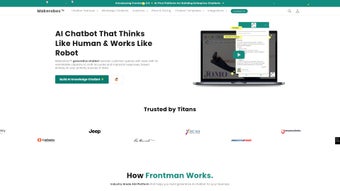

Download Makerobos – AI Chatbot Builder for Enterprises
Overview
Makerobos is a cloud‑native AI chatbot builder that targets medium‑size and large enterprises looking for a scalable, secure, and highly customizable conversational platform. Built on the proprietary Frontman AI engine, the solution combines deep‑learning natural language processing with a low‑code visual designer, allowing marketing, support, and development teams to create sophisticated bots without writing a single line of code. The platform supports rich media—carousel cards, videos, PDFs, and interactive forms—so businesses can embed product catalogs, tutorials, or promotional offers directly into the chat flow.
A standout feature is the Wingman hybrid chat module, which seamlessly hands off conversations from the bot to live agents while preserving context, enabling a smooth escalation path for complex issues. Makerobos also offers conversational advertising, letting advertisers launch dialog‑driven ad units that capture leads in real time. All data is stored in a GDPR‑compliant, end‑to‑end encrypted cloud environment, and the service provides built‑in analytics that surface sentiment trends, conversion rates, and agent performance metrics.
In short, Makerobos delivers a full‑stack, enterprise‑grade chatbot ecosystem that can be deployed across websites, mobile apps, and major messaging channels while maintaining the agility required for rapid campaign iterations and continuous model training.
Key Features & Benefits
- Frontman AI Engine: Deep‑learning models that understand intent, sentiment, and entities, delivering context‑aware replies with confidence scoring.
- Drag‑and‑Drop Bot Designer: Visual workflow canvas that lets non‑technical users build conversation trees, set up fallback intents, and preview interactions instantly.
- Automated Messaging Campaigns: Schedule, segment, and trigger messages based on user behavior, geographic location, or purchase history.
- Rich Messaging Suite: Supports carousel cards, quick replies, video playback, PDFs, and interactive forms within the chat window.
- Knowledge‑Base Integration: Centralized FAQ repository that powers self‑service 24/7 and can be imported via CSV, JSON, or API.
- Wingman Hybrid Chat: Real‑time handover to live agents with full conversation history, ensuring seamless escalation.
- Conversational Ads: Dialog‑based ad units that engage prospects, capture leads, and feed directly into CRM pipelines.
- Multi‑Channel Deployment: Publish bots on websites, iOS/Android apps, Facebook Messenger, WhatsApp, Slack, and more.
- Analytics Dashboard: Real‑time metrics on session length, conversion funnels, sentiment trends, and agent KPIs.
- Secure Cloud Hosting: GDPR, CCPA, and ISO 27001 compliance, role‑based access controls, and TLS 1.3 encryption for data at rest and in transit.
Each feature is designed to address a specific business pain point. The Frontman AI engine reduces the time needed to train a bot by automatically suggesting synonyms and example utterances, while the visual designer cuts development cycles from weeks to days. Automated campaigns enable marketers to nurture leads without manual follow‑up, and rich media keeps users engaged longer, improving conversion rates. The hybrid Wingman chat ensures that complex queries never fall through the cracks, preserving brand reputation. Finally, the built‑in analytics give decision‑makers the data they need to refine conversation flows, optimize spend on conversational ads, and demonstrate ROI to stakeholders.
Installation, Setup & Compatibility
Getting Started – No Traditional Installation
Makerobos is delivered as a fully managed SaaS platform, so there is no need to download or install client software. New users simply register at makerobos.com, verify a corporate email address, and gain immediate access to the web‑based dashboard. An interactive onboarding wizard guides you through creating your first bot, connecting communication channels (web widget, Messenger, WhatsApp, etc.), and importing existing knowledge‑base content. For organizations that require on‑premise deployment due to strict compliance policies, Makerobos offers a private‑cloud option that can be provisioned on dedicated servers within the corporate data center; the same wizard is used, but the initial provisioning is handled by Makerobos professional services.
Building and Training Your Bot
Inside the dashboard, the drag‑and‑drop canvas lets you define intents, entities, and response templates. As you type example utterances, Frontman AI suggests additional training phrases, synonyms, and slot values, dramatically cutting manual dataset creation. After you publish a bot, a live testing environment lets you converse with it in real time, view confidence scores for each reply, and edit responses on the fly. Continuous learning is built‑in: every user interaction is logged, and low‑confidence queries are automatically surfaced for review, allowing the bot to improve without leaving the interface.
Supported Operating Systems & Devices
Because Makerobos runs entirely in the browser, it is compatible with any modern operating system that supports Chrome, Edge, Firefox, or Safari. This includes Windows 10/11, macOS Ventura and later, Linux distributions, Chrome OS, as well as mobile platforms such as Android 12+ and iOS 16+. Updates are rolled out automatically on the cloud, ensuring that every user always works with the latest features and security patches. The optional on‑premise version supports Ubuntu 20.04 LTS, Red Hat Enterprise Linux 8, and Windows Server 2019.
Pros & Cons
- Pros
- Powerful AI engine that shortens training cycles.
- Intuitive visual builder for non‑technical teams.
- Hybrid live‑chat maintains human oversight.
- Rich media support creates engaging experiences.
- Comprehensive analytics for data‑driven decisions.
- Scalable SaaS architecture with optional private‑cloud.
- Multi‑channel deployment reaches users wherever they are.
- Enterprise‑grade security and compliance.
- Cons
- Higher subscription cost compared with basic chatbot tools.
- Advanced AI features have a learning curve for new users.
- On‑premise deployment requires dedicated IT resources.
- Customization beyond the visual builder may need developer assistance.
Frequently Asked Questions
Can Makerobos integrate with existing CRM or ticketing systems?
Yes. Makerobos provides native connectors for Salesforce, HubSpot, Zendesk, ServiceNow, and many other platforms. In addition, a robust REST API lets you push and pull data to virtually any third‑party system.
Is there a free trial or freemium version available?
Makerobos offers a 14‑day free trial with full access to every feature. After the trial, you can select from tiered subscription plans based on bot volume, active users, and analytics requirements.
How does Makerobos ensure data security and privacy?
All data is encrypted at rest and in transit using TLS 1.3. Makerobos complies with GDPR, CCPA, and ISO 27001, and provides role‑based access controls, audit logs, and data residency options for enterprise customers.
Can I customize the chatbot’s branding and user interface?
Absolutely. The platform includes CSS editing, theming options, and the ability to upload custom logos, fonts, and color palettes so the chat widget matches your corporate brand perfectly.
What support options are available for Makerobos users?
Makerobos provides 24/7 email support for all plans, live chat for premium customers, and a dedicated success manager for enterprise contracts. An extensive knowledge base, video tutorials, and community forum are also available.
Is there an on‑premise version for highly regulated industries?
Yes. Makerobos offers a private‑cloud deployment that can be installed on your own servers or within a dedicated virtual private cloud. This option includes the same feature set while giving you complete control over data residency and network security.
Conclusion & Call to Action
Makerobos distinguishes itself in the crowded chatbot market by delivering enterprise‑grade AI, a truly low‑code builder, and a comprehensive suite of engagement tools—from rich media messaging to conversational advertising and hybrid live‑chat. While the pricing reflects its premium capabilities, the measurable ROI—lower support costs, higher conversion rates, and deeper customer insights—justifies the investment for businesses that need a reliable, scalable conversational platform. If you’re ready to modernize your customer experience, automate routine inquiries, and unlock new revenue streams through AI‑driven dialogue, start your free trial today.
Pros: Advanced AI, intuitive visual builder, robust analytics, multi‑channel support, secure cloud hosting.
Cons: Premium pricing, initial learning curve for advanced features, on‑premise setup requires IT resources.



.png)



